
Home
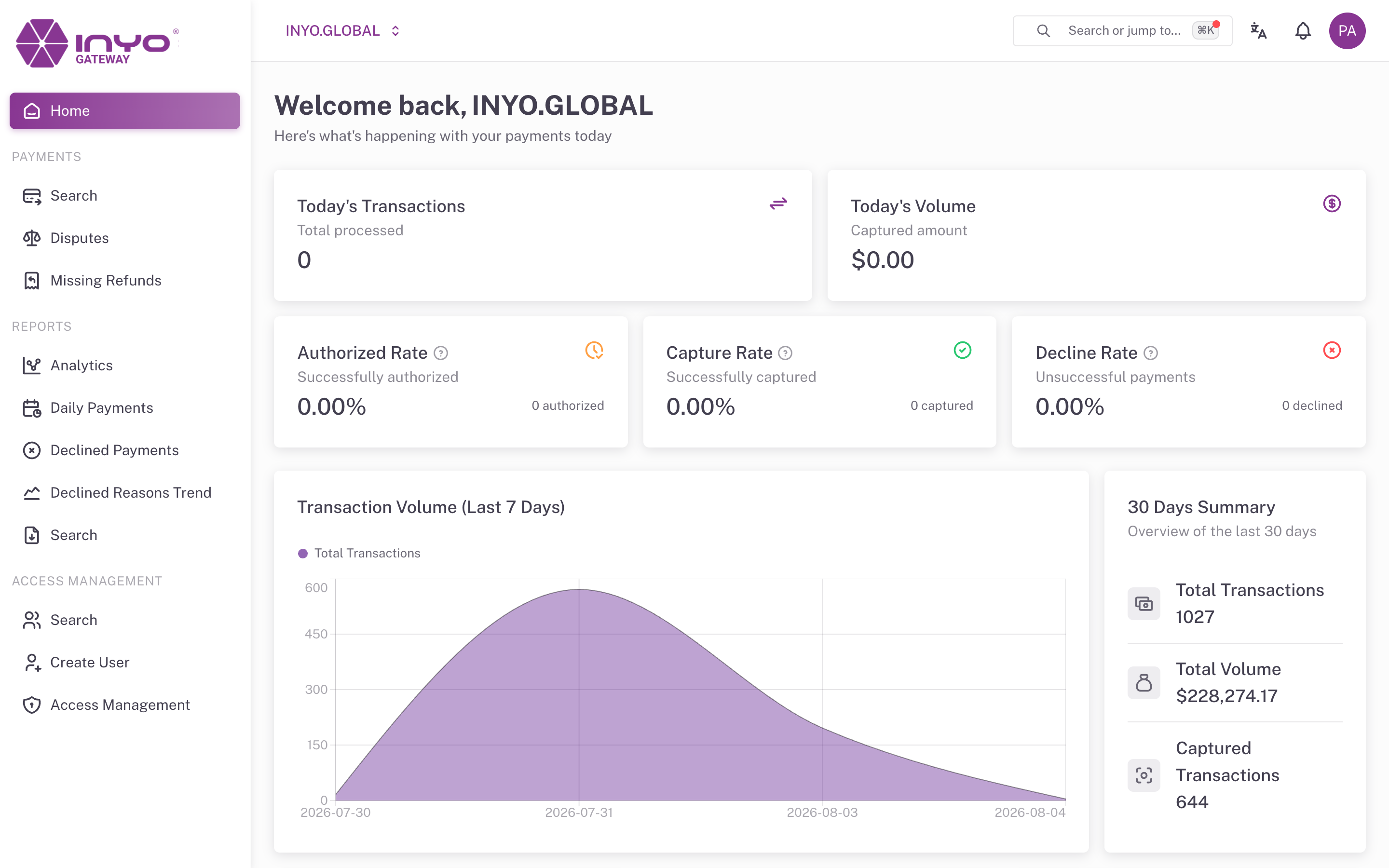
Home is the landing page after sign-in: a same-day snapshot of payment activity for the active organization, with a short trend view for context.
Requires: the view home dashboards permission (see Permissions Reference).
Action Required
When something is waiting on you, an Action required card opens the page, above the KPIs. Today it lists refunds that failed and need to be resubmitted, with a View button that opens the affected payments. The card disappears when nothing is pending. See Pending Actions.
Today's KPIs
| Card | What it shows |
|---|---|
| Today's Transactions | Total transactions processed today |
| Today's Volume | Captured amount today |
| Authorized Rate | Share of today's transactions that were authorized |
| Capture Rate | Share of authorized transactions that were captured |
| Decline Rate | Share of today's transactions that were declined |
Each rate card shows the underlying count (for example 128 authorized) and an info tooltip explaining the denominator — Authorized and Decline rates are calculated over all of today's transactions, while Capture Rate is calculated over today's authorized transactions.
Verification Rates
Two rows of cards break down card-verification outcomes for today:
- AVS — Approved Rate, Failed, and Not Sent Rate (Address Verification System)
- CVC — Approved Rate, Failed, and Not Sent Rate (Card Verification Code)
A rising Not Sent rate usually means an integration is omitting address or CVC data — worth flagging to your developers, since AVS/CVC results feed issuer approval decisions. See Mitigating Fraud.
Trend Panels
- Transaction Volume (Last 7 Days) — an area chart of total daily transactions, for spotting day-over-day anomalies
- 30 Days Summary — Total Transactions, Total Volume, and Captured Transactions over the last 30 days
For deeper analysis with longer windows and per-status breakdowns, use Reports → Analytics.
All timestamps and day boundaries respect the time zone configured in Settings.